Mar 3 2013
From Ybry charts to work-combination charts

This is a screen shot from yesterday’s evening news on the France 2 channel, part of a story about TGV high-speed trains used on regular tracks to bring vacationers to ski areas. The TGVs, of course run at regular speeds on these single line tracks and must stop at sidings to let regular trains through in the opposite direction. In an earlier post, I discussed the charts invented by Charles Ybry in 1846 for railroad scheduling, and this newscast shows that they are still used in railroads today. Besides railroad scheduling, they are also used in the management of multiple, concurrent projects, and I believe they were the basis for Toyota’s work combination charts.
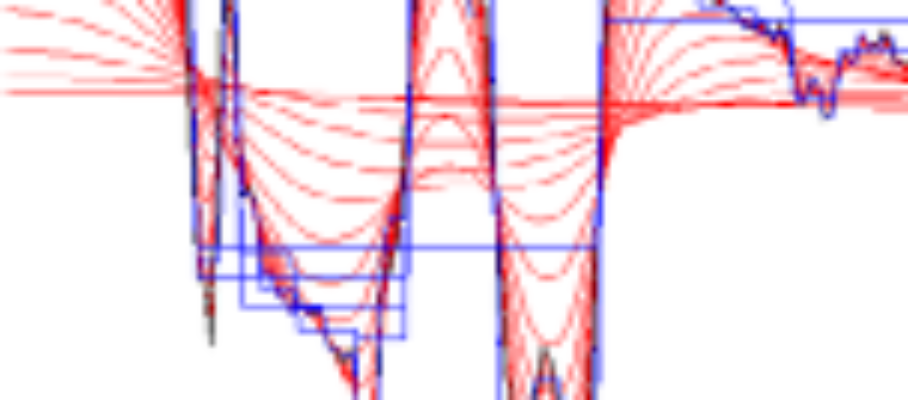
The x-axis is time; the y-axis, position along the line. On the chart, the downward lines represent trains going down the line; the upward lines, trains coming up the line. When and where the lines cross, trains cross, and there must be a siding available. The news story had the TGV pilot call in his position on a siding to a control center in Chambéry where the chart was displayed. On the high-speed TGV lines, the signalling is all electronic, and the system automatically knows where the trains are; when you run a TGV train at reduced speed on a regular line, however, it seems that the driver has to report what happens the old-fashioned way.
I learned about these charts in Edward Tufte’s Envisioning Information, where he describes them as a special case of a “narrative of space and time.” Among the examples he gave were a similar railroad scheduling application from Switzerland 80 years ago and the development of Wagner’s operas over almost 50 years in the 19th century:


Work combination charts are a tool to design and communicate about production jobs that require operators to perform a sequence of operations on multiple machines that operate automatically between visits. This is a Japanese example of such a chart:

The concept looks similar, doesn’t it? I found this chart particularly useful when you need to plan the activities of more than one operator, as in the following example:

In the Legend, “Manual In” refers to time spent by the operator on the machine with it stopped; “Manual Out,” time spent on the machine while it runs.
To this date, in the US, this powerful technique is far from enjoying the popularity it deserves. It is generally perceived as “too complicated” and I still don’t know of any software tools that fully support it. In designing jobs that involve interactions between human and machines, however, the consequence of not using it is leaving about 50% of the potential productivity improvement on the table. It may take a project team an extra day to do it, but the result is achieving a 40% productivity increase instead of 20%. Details are discussed in Chapter 7 of Working with Machines.



Apr 19 2013
ERP and Lean
The discussion Pat Moody started in the Blue Heron Journal is in the form of advice to a production planner in a heavy equipment plant who has been put in charge of implementing a new ERP system to replace a collection of legacy systems. The call for help is signed “Hopeful in the Midwest.”
What would we say if, instead, this person had been tasked with throwing out all the machine tools of multiple vintages that make up the plant’s machine shop and replace them with one single, integrated Flexible Manufacturing System (FMS)?
My recommendation to this person would be to find another job. Unless the company has gone through preparation steps that Hopeful does not mention, the ERP project is likewise headed for disaster and Hopeful should run from it.
ERP boosters take it for granted that one single integrated system to handle all information processing for a plant is an improvement over having multiple systems. From a marketing standpoint, it is a powerful message, well received by decision makers, as evidenced by the size of the ERP industry.
Yet most plants do have multiple systems, and it is worth asking why. It is not just because organizational silos are uncoordinated. It is also because the best systems for each function are made by specialized suppliers. The best systems for production planning and scheduling, supply chain management, maintenance, quality, human resources, etc. are developed by organizations led by experts in each of these domains.
ERP systems are built by companies that grew based on expertise in one of these domains and then expanded to the others, in which they had no expertise. One major ERP supplier got its start in multi-currency accounting; another by dominating the market for Database Management Systems; yet another by focusing on HR management. Unsurprisingly, the software they provided in all other areas has frustrated practitioners by its mediocrity.
Perhaps, the reason you hardly ever meet any manufacturer who is happy with an ERP implementation is that the idea of an all-in-one integrated system is not that great to begin with.
What is the alternative?
First, management should respect the need for departments to have the systems that support them best, requiring only that they should be able to share information with other departments.
For example, Marketing, Engineering, and Accounting should not be mandated to use modules from a single all-in-one system, but they should be required to use the same product IDs and product families, for management to be able to view sales, production, and financial results accordingly.
To make this possible, the company needs a consistent information model of its activities, including the objects that need to be represented, the states these objects can be in, the information they need to exchange, and a structure for all the retained information.
The development of such a model is beyond the capabilities of a production planner, and often beyond the capability of anyone in the IT department of a manufacturing company. It requires high-level know-how in systems analysis and database design, and should be done by a consultant who is independent of any ERP supplier, in cooperation with the operating department and the IT group.
The first phase should focus on improving the performance of the legacy systems in targeted areas, and introducing middleware to facilitate the integration of data from multiple legacy systems. This involves work in Master Data Management for specs and nomenclature, Data Warehousing for history, and real-time databases for status.
The replacement of legacy systems should be considered based on the lessons learned through improvement, in particular with a realistic, internally developed view of costs and benefits. As in the case with new production equipment, the introduction of new IT systems may best be coordinated with the development of new production lines or plants.
Share this:
Like this:
By Michel Baudin • Information Technology 2 • Tags: Information systems, Information technology, IT, Legacy Systems, Manufacturing